
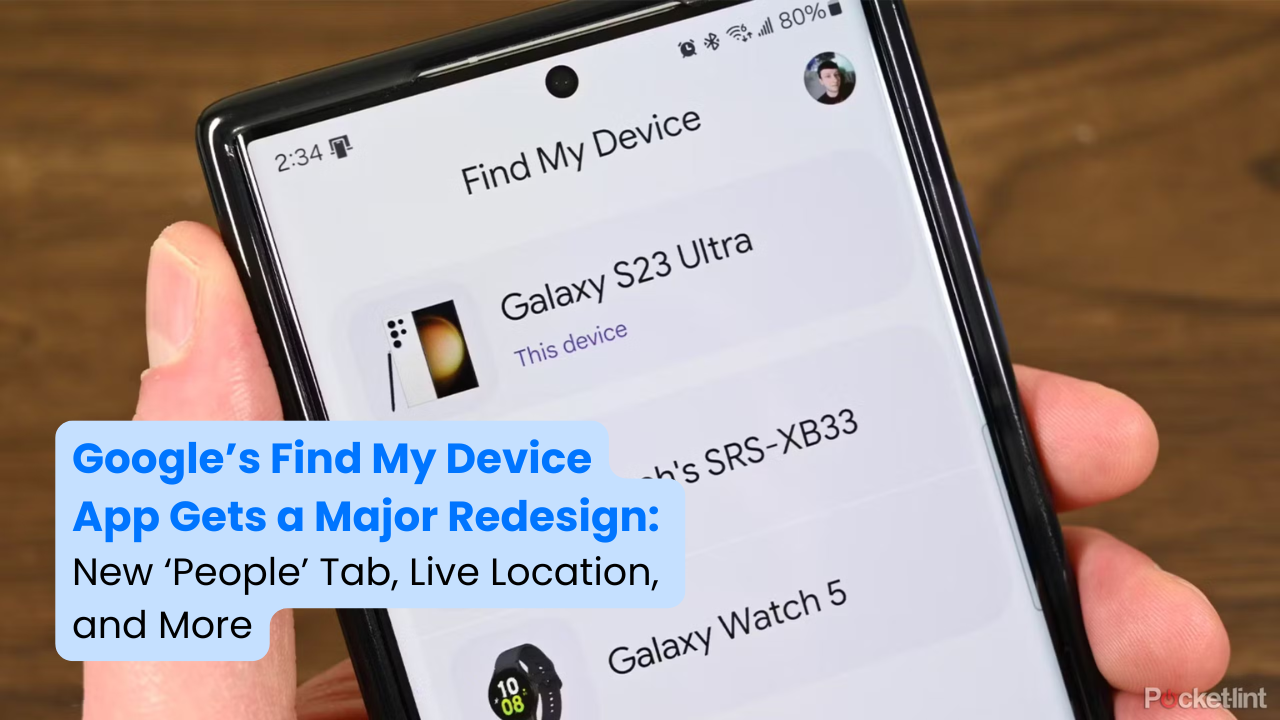
Google has rolled out a major redesign for its Find My Device app, introducing a two-tab interface, improved location previews, and live location sharing. This update significantly enhances the user experience, making it easier to track your devices and even share locations with friends and family.
With Find My Device v3.1.277, Google has integrated a new ‘People’ tab, allowing seamless location sharing via Google Maps. Additionally, users can now see their own live location when tracking a device, improving navigation and tracking efficiency.
Let’s take a closer look at the latest features, improvements, and why this update is a game-changer for Android users.
What’s New in Find My Device?
The latest Find My Device update brings several enhancements designed to make device tracking and location sharing more intuitive.
1. New Two-Tab UI for Better Navigation

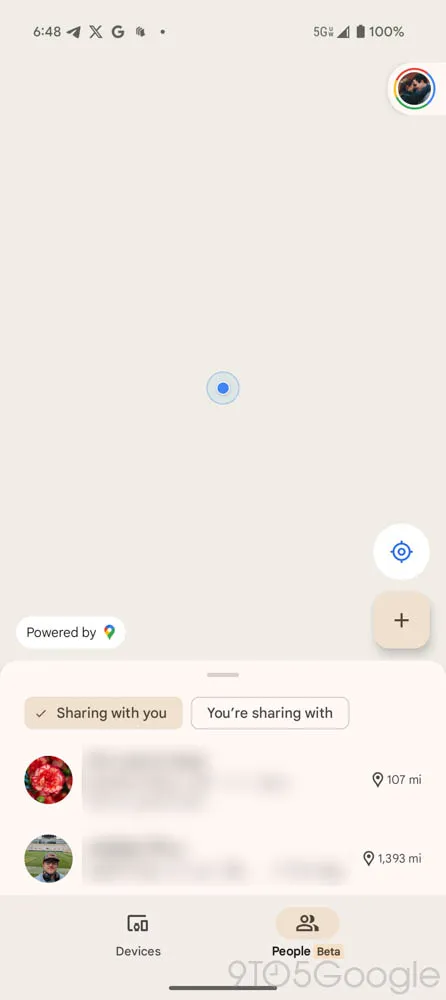
Google has redesigned the interface to feature two primary tabs:
✅ Devices Tab – Displays all your linked devices and trackers, along with an improved location preview.
✅ People Tab – A brand-new addition that allows users to see and share locations with others via Google Maps.
This new two-tab layout simplifies navigation and makes it easier to switch between tracking devices and sharing locations.
2. Introducing the ‘People’ Tab for Location Sharing
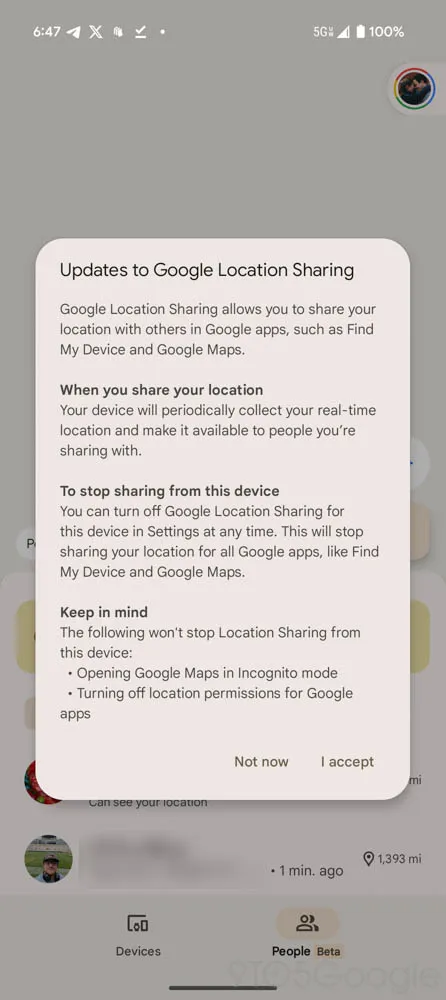
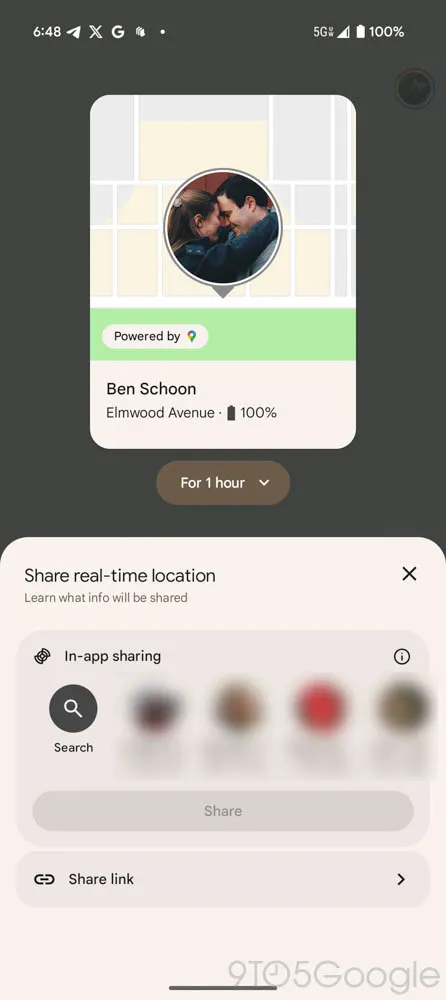
One of the biggest additions in this update is the ‘People’ tab, which enables location sharing similar to Google Maps.
✔ Share your live location via a direct link or through your Google account.
✔ View the real-time locations of friends or family members who have shared their locations with you.
✔ Fix location-sharing issues on new devices, ensuring your position is always accurately displayed.
Although this feature has existed in Google Maps, its integration into Find My Device makes tracking easier by combining it with device tracking.
3. Improved Location Previews for Devices
The Devices Tab has been upgraded to display:
✔ A larger and more detailed location preview at the top of the screen.
✔ A simplified list of devices and trackers at the bottom for quick access.
This layout ensures that location tracking starts immediately when the app opens, allowing users to find lost devices faster.
4. See Your Own Live Location While Tracking Devices
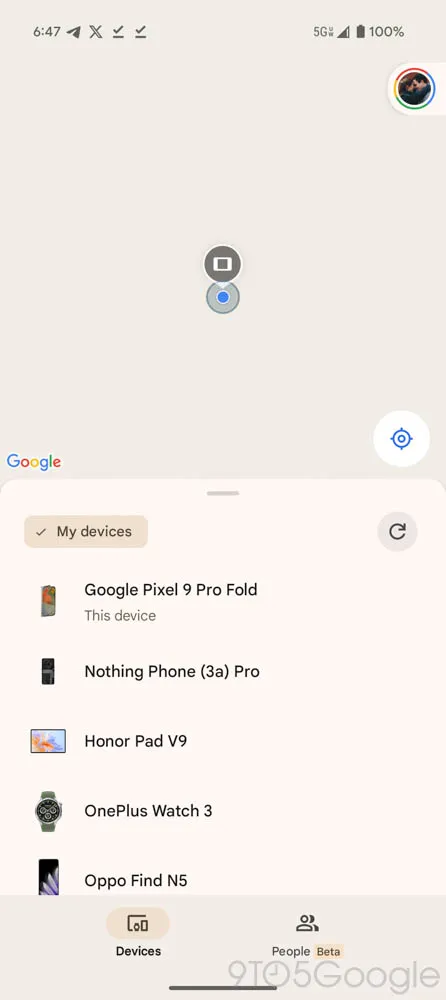
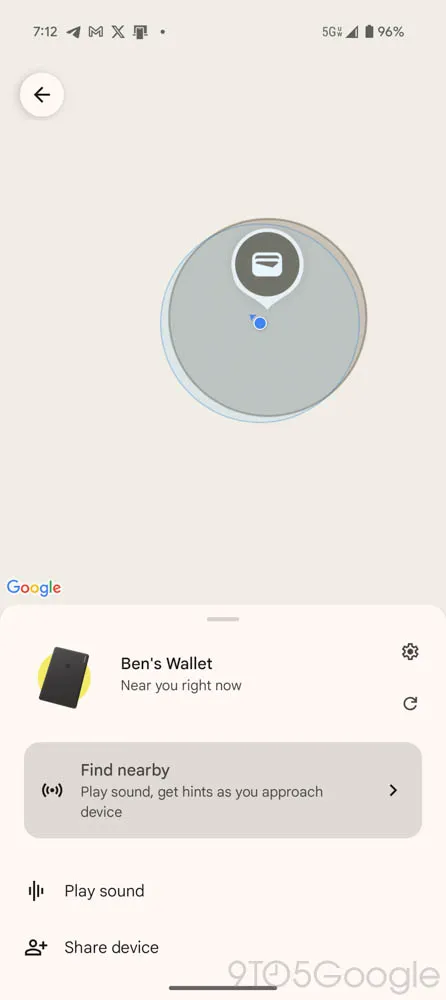
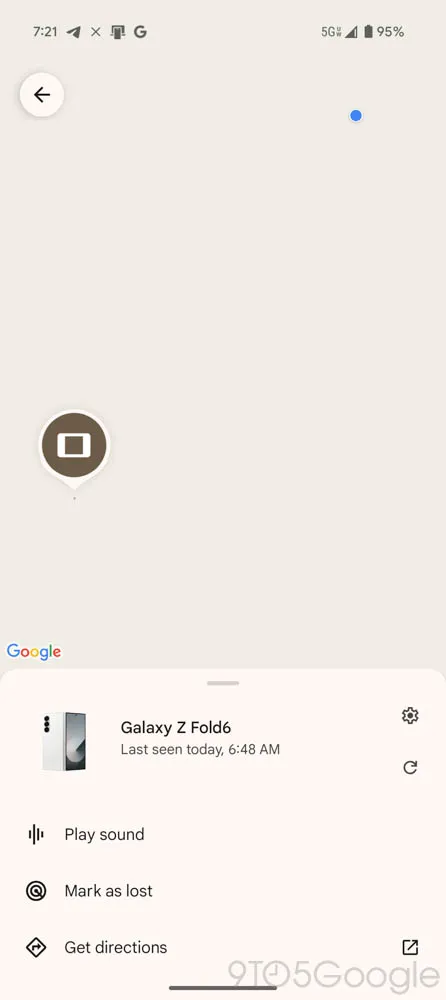
Previously, when searching for a device, Find My Device only showed the target device’s location. With this update, you can now:
✔ See your own live location on the same map.
✔ Compare your location to the lost device’s location for better navigation.
✔ Avoid confusion when tracking close-range devices like smart tags and Bluetooth trackers.
This small yet powerful upgrade makes it much easier to locate misplaced devices in real time.
How These Features Improve the User Experience
✅ Easier Navigation with the Two-Tab System
The new layout removes clutter and simplifies tracking by dividing devices and people into separate tabs. Users no longer have to search through multiple menus to find what they need.
✅ Enhanced Location Sharing for Families and Friends
With the ‘People’ tab, users can now share their real-time location effortlessly, making it easier to coordinate meet-ups, track family members, or monitor children’s locations.
✅ Faster and More Accurate Device Tracking
The improved location preview and live location tracking help users quickly locate lost devices, reducing frustration and saving time.
Find My Device vs. Apple’s ‘Find My’ App: How Do They Compare?
Google’s latest updates to Find My Device make it more competitive with Apple’s Find My app. Here’s a comparison:
| Feature | Google Find My Device | Apple Find My |
|---|---|---|
| Live Location Sharing | ✅ Yes (New ‘People’ Tab) | ✅ Yes |
| Device Location Preview | ✅ Yes (Bigger Map View) | ✅ Yes |
| Track Your Own Location | ✅ Yes (New Feature) | ❌ No |
| Customizable Notifications | ✅ Yes | ✅ Yes |
| Integration with Bluetooth Trackers | ✅ Yes (Google’s FMD Network) | ✅ Yes (Apple AirTags) |
While Apple’s Find My is more established, Google’s latest redesign adds key features that bring it closer to its competitor—and even surpasses it in some areas, such as showing your own live location.
Potential Limitations and Future Updates
While this Find My Device update is a significant improvement, some limitations remain:
❌ What’s Missing?
- No ability to reorder devices – The app still opens to the first device in the list, rather than letting users customize the order.
- Limited rollout – The update isn’t widely available yet and is rolling out in phases.
- No cross-platform support – Unlike Apple’s Find My, which works across all Apple devices, Google’s service is limited to Android.
🔧 What Could Improve in Future Updates?
✔ Reordering devices – Allow users to prioritize frequently tracked devices.
✔ Expanded tracker support – Support for third-party Bluetooth trackers.
✔ More advanced notifications – Custom alerts for when a device leaves a set area.
Final Thoughts: A Major Step Forward for Android Users
Google’s Find My Device v3.1.277 is one of the biggest updates yet, bringing essential features like:
✅ A new two-tab UI for easier navigation.
✅ The ‘People’ tab for effortless location sharing.
✅ Live location tracking while searching for devices.
✅ A better, more functional device tracking system.
These changes streamline tracking, enhance location sharing, and make finding lost devices easier than ever. While some improvements are still needed, this update brings Find My Device closer to Apple’s Find My ecosystem and is a major win for Android users.
Also Read: How Small Businesses Can Beat Big Brands with SEO
Frequently Asked Questions (FAQs)
❓ What is the new ‘People’ tab in Find My Device?
The ‘People’ tab allows users to share their location in real time, similar to Google Maps location sharing.
❓ Can I track my live location while looking for another device?
Yes! Find My Device now shows your own live location, making it easier to compare it with your lost device’s location.
❓ Is this update available for all Android devices?
The update is rolling out gradually, so it may not be available for everyone yet.
❓ Can I change the order of my tracked devices?
No, Find My Device still doesn’t allow users to reorder their tracked devices, but this may change in future updates.
❓ How does this compare to Apple’s ‘Find My’ app?
Google’s Find My Device is now closer to Apple’s Find My, with features like location previews and real-time tracking. However, cross-platform support is still missing.
Pingback: Google Gemini Extensions Rebranded as ‘Apps’ with 2.0 Flash Thinking Update