

Google Calendar is a widely used tool for scheduling and managing daily tasks. However, cybercriminals have found new ways to exploit it, turning it into a potential gateway for malware and phishing scams. Recent reports indicate a rise in malicious activities where attackers use fake calendar invites to trick users into sharing personal information or clicking harmful links.
In this guide, we will break down how Google Calendar malware attacks work, the risks involved, and practical steps you can take to protect yourself.
How Google Calendar Malware Attacks Work

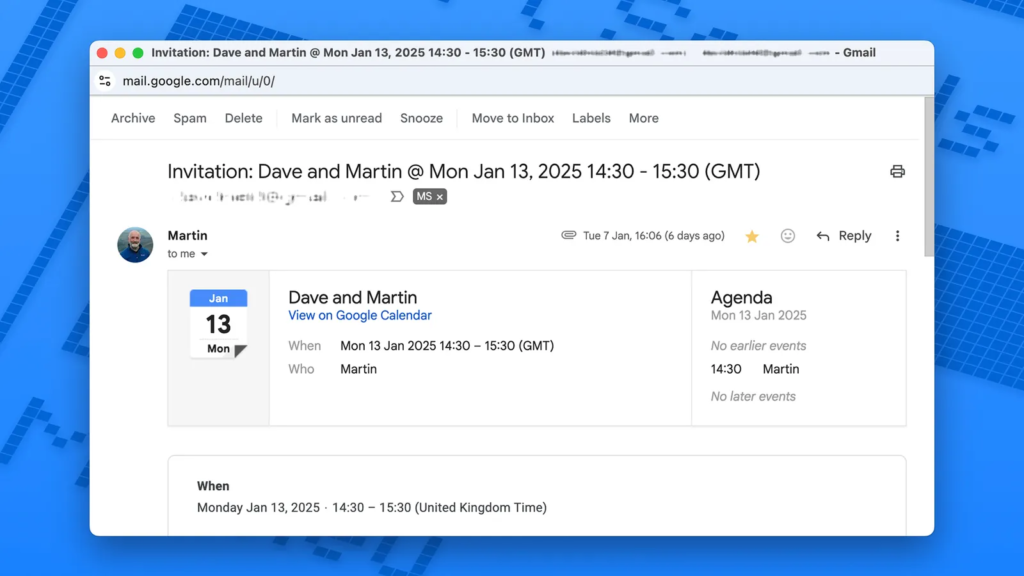
1. Phishing Scams Disguised as Calendar Invites
- Cybercriminals send fake Google Calendar invitations containing malicious links.
- These invites appear legitimate—they may use official-looking email addresses or pretend to be from trusted contacts.
- Clicking on the embedded links redirects users to fake login pages or phishing sites designed to steal personal information.
2. Embedded Malware in Event Descriptions
- Some hackers embed malicious code inside Google Calendar event descriptions.
- Clicking on these links could install malware on your device, giving attackers access to sensitive information.
3. Fake Customer Support or Security Alerts
- Scammers send fake Google Calendar invites posing as Google support or IT teams.
- These events contain warnings like “Your account has been compromised” or “Update your security settings immediately.”
- Victims are then lured into providing login credentials, which are stolen by hackers.
4. Remote Access Trojan (RAT) Attacks
- In some cases, Google Calendar vulnerabilities have been exploited to install Remote Access Trojans (RATs).
- These Trojans allow hackers to take control of your device remotely, accessing files, passwords, and even webcams.
Why Google Calendar Is a Target for Cybercriminals
Google Calendar is an integrated service that connects with Gmail, Google Drive, and other Google apps. This makes it a prime target for attackers looking to exploit its trust and accessibility.
Key Reasons Why Hackers Target Google Calendar:
✔ Widespread Use – Millions rely on it daily, making it a high-value target.
✔ Instant Sync Across Devices – Fake invites appear automatically on connected smartphones, tablets, and desktops.
✔ Trusted Notifications – Users expect calendar notifications, making them less suspicious.
How to Stay Safe from Google Calendar Malware Attacks
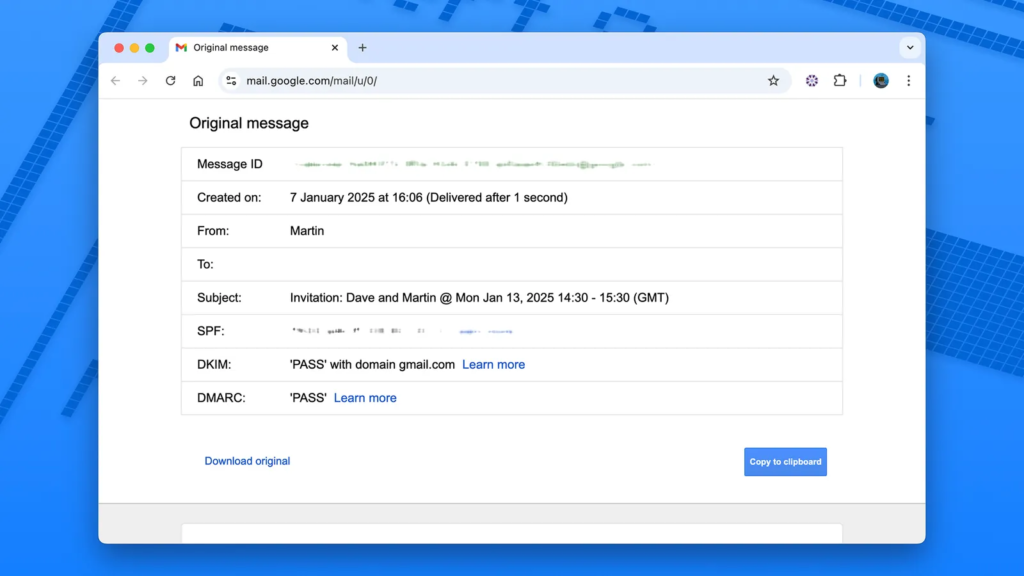
1. Verify the Sender Before Accepting Any Invite
- Always check the sender’s email address before clicking on a Google Calendar event.
- Legitimate Google invites will come from calendar-notification@google.com.
2. Avoid Clicking on Suspicious Links
- If an event description contains unusual links, DO NOT CLICK.
- Instead, hover over the link to preview the actual URL.
3. Turn Off Automatic Event Additions
By default, Google Calendar automatically adds invitations to your schedule—even from unknown senders. To prevent this:
- Open Google Calendar on your computer.
- Click on the gear icon (⚙️) in the top right and select Settings.
- Scroll to Event settings and find “Automatically add invitations.”
- Change it to “No, only show invitations to which I have responded.”
4. Enable Two-Factor Authentication (2FA)
- Activating 2FA for your Google account adds an extra layer of security against unauthorized logins.
- Go to Google Account > Security > 2-Step Verification and follow the setup instructions.
5. Regularly Review Connected Apps & Permissions
- Visit Google Security Checkup.
- Under “Third-party apps with account access”, revoke access to any unknown or suspicious apps.
6. Report & Delete Suspicious Invites
- If you receive a spam calendar event, delete it immediately.
- Click on the event > More actions > Report as spam.
7. Keep Google Calendar & Browser Updated
- Google frequently releases security updates to patch vulnerabilities.
- Make sure your browser (Chrome, Firefox, Edge) and Google Calendar app are always up to date.
What Google Is Doing to Improve Security
Google is aware of calendar-based phishing and malware attacks and has taken steps to strengthen security:
✔ Enhanced spam filtering for Google Calendar invites.
✔ Regular updates to patch security flaws.
✔ Warning messages for suspicious events.
Despite these improvements, users must stay vigilant and take personal security precautions.
Final Thoughts: Stay Alert, Stay Safe
While Google Calendar is a powerful productivity tool, it’s important to recognize its potential security risks. Hackers are becoming more sophisticated, and malicious calendar invites are on the rise.
By following the best practices outlined in this guide—verifying event sources, disabling automatic event additions, enabling 2FA, and keeping your software updated—you can protect yourself from Google Calendar malware attacks.
Pro Tip: If something feels off about a calendar event, delete it immediately and report it to Google. Better safe than sorry!
Also Read: Google Unveils Car-Ready Apps Program in Android Auto 13.8 Update