
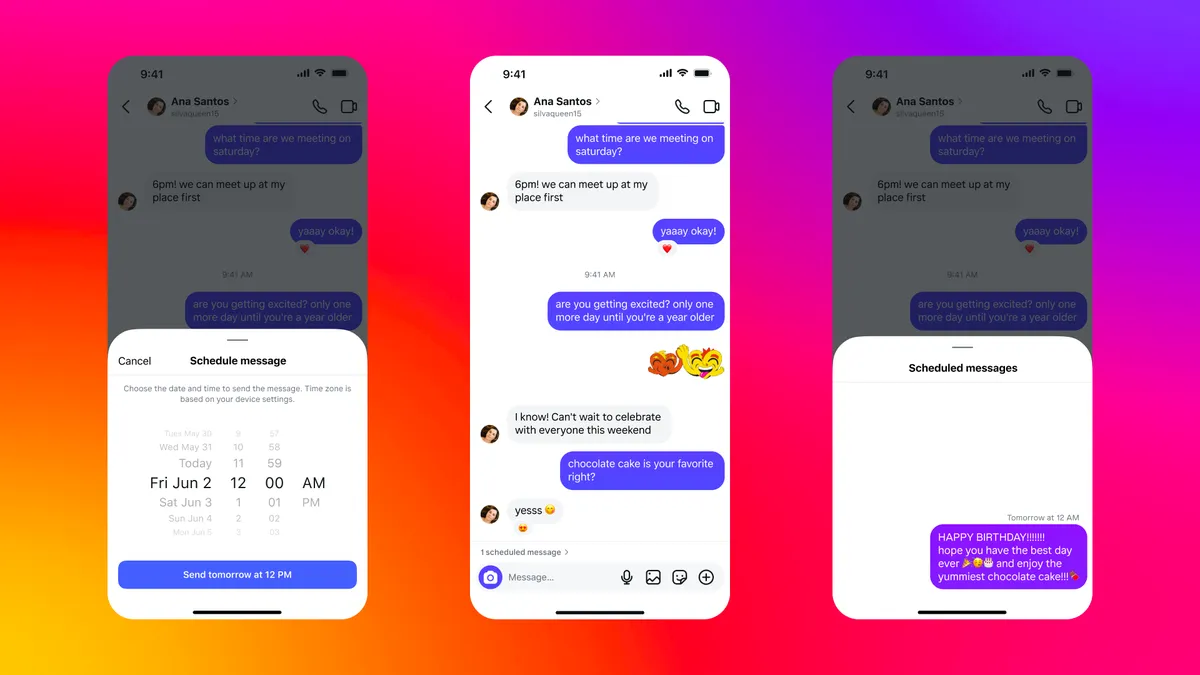
Instagram has rolled out a highly anticipated feature that allows users to schedule direct messages (DMs) in advance. This update is designed to enhance the messaging experience by enabling users to send messages at the most convenient time—without worrying about interrupting their friends or missing important moments.
Alongside this new feature, Instagram has also introduced QR code chat invitations, message pinning, and in-chat translation, making DMs more functional and user-friendly. Let’s explore how these updates improve communication and engagement on the platform.
Instagram’s New DM Scheduling Feature: How It Works
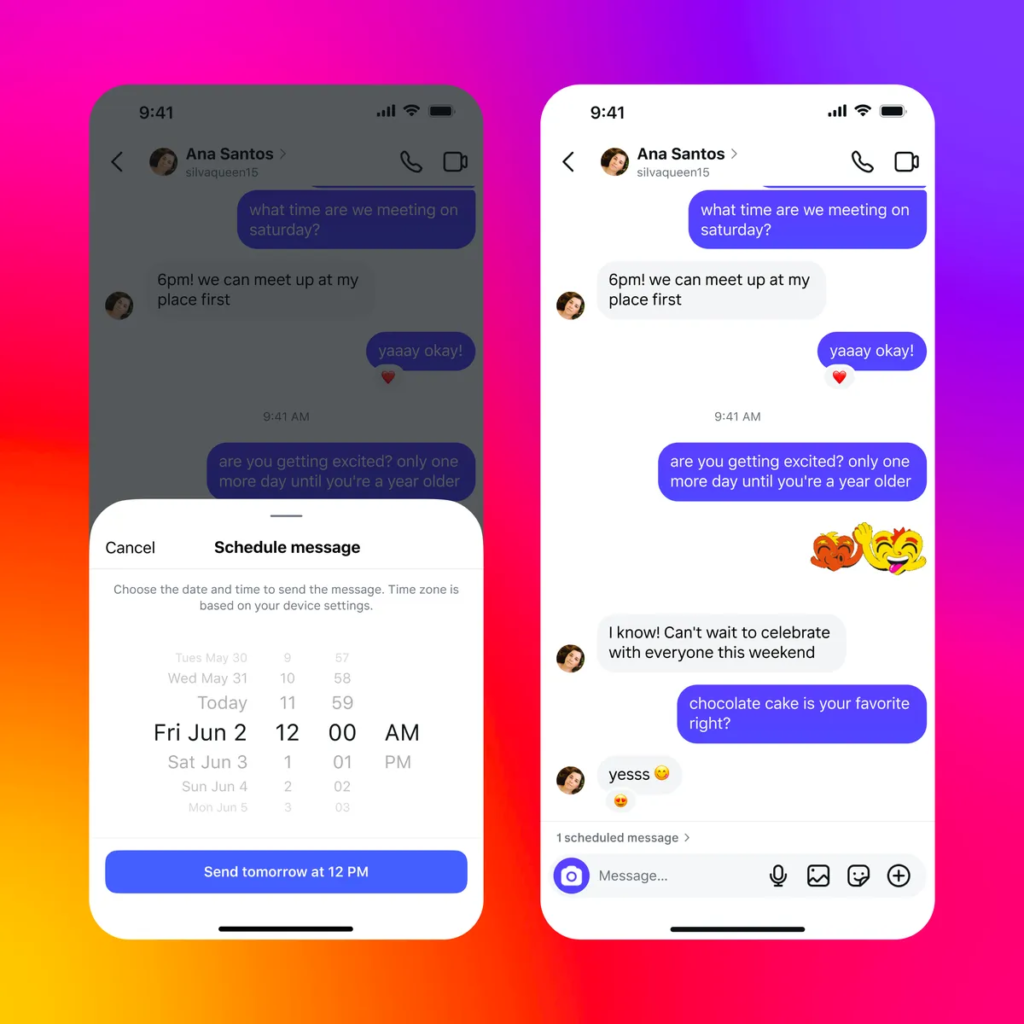
The DM scheduling feature allows users to write a message and select a future date and time for it to be sent automatically. This is particularly useful for:
- Sending birthday wishes or reminders without forgetting.
- Coordinating messages across different time zones.
- Avoiding interruptions when a recipient might be busy.
How to Schedule a DM on Instagram
- Open Instagram DMs and type your message.
- Hold down the send button until the scheduling option appears.
- Select a date and time to send the message.
- Confirm the scheduled message, which will appear in the chat with an option to edit or cancel it.
Key Features of Instagram DM Scheduling
✔ Messages can be scheduled up to 29 days in advance.
✔ Text-only messages can be scheduled (images and videos are not supported yet).
✔ Users can schedule messages to themselves as reminders.
✔ The feature is built directly into Instagram’s messaging interface for easy access.
Other New Instagram DM Features
1. QR Code Chat Invitations
- Users can generate a QR code to invite others to a chat instantly.
- Makes it easier to start group discussions without sharing usernames.
2. Message Pinning
- Users can pin important messages to the top of a chat for quick reference.
- Useful for saving key details like addresses, plans, or reminders.
3. In-Chat Language Translation
- Allows users to translate messages directly within a DM conversation.
- Enhances global communication and removes language barriers.
Why Instagram’s DM Updates Matter
1. Better Communication Across Time Zones
- Scheduling ensures that messages reach recipients at appropriate times, especially for users with friends and family abroad.
2. More Organized Messaging
- Message pinning and scheduled messages help keep conversations structured and accessible.
3. Greater User Control and Privacy
- With the ability to schedule messages, users no longer need to send messages immediately and risk disturbing someone.
Potential Limitations and Future Improvements
Current Limitations
- DM scheduling is only available for text messages (no support for media yet).
- Users cannot edit scheduled messages after setting them (only cancel and resend).
- Feature rollout may be gradual, so not all users have access immediately.
Expected Future Updates
- Adding support for images, videos, and voice messages in scheduled DMs.
- More advanced scheduling options, such as recurring messages for reminders.
- Integration with Instagram Stories or Notes for scheduled social interactions.
Final Thoughts
Instagram’s new DM scheduling feature is a welcome addition, offering users more control over their conversations and making it easier to communicate without interruptions. Alongside QR code invites, pinned messages, and in-chat translations, Instagram is clearly focusing on enhancing its messaging capabilities.
With more updates expected in the future, these features could transform how users interact and engage on Instagram, making the platform a more efficient and user-friendly communication tool.
Also Read: How to Stop Instagram and Facebook from Tracking Your Internet Activity
Frequently Asked Questions (FAQs)
1. How do I schedule a message on Instagram?
Hold down the send button in a DM, select a date and time, and confirm the scheduled message.
2. Can I edit a scheduled message?
No, but you can delete and resend a new scheduled message.
3. Can I schedule DMs with images or videos?
Currently, only text messages can be scheduled.
4. How far in advance can I schedule a message?
You can schedule a message up to 29 days ahead.
5. Is DM scheduling available to all users?
Instagram is gradually rolling out this feature, so availability may vary.